
Choose the right size
Use presets, a target size or custom quality and dimensions. Compare each original with its result.
Image compression & ZIP
 Pic Mochi
Choose the size, dimensions and format that fit. Compress a batch, or bundle original files into a ZIP.
THOUGHTFUL DETAILS
Use presets, a target size or custom quality and dimensions. Compare each original with its result.
Export JPEG, HEIC, PNG or WebP. Save WebP to Files; choose PNG or WebP when transparency matters.
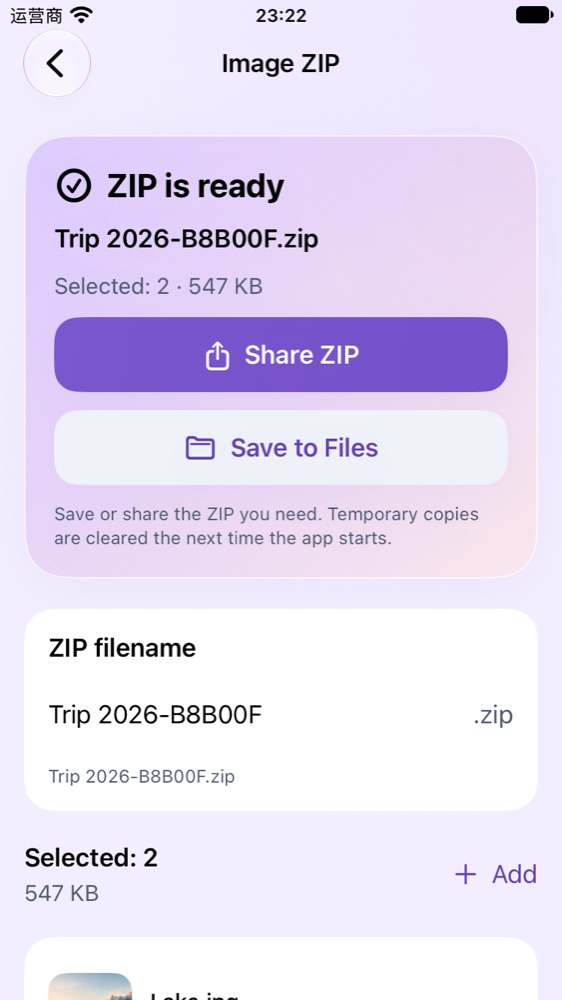
Pack up to 100 images into a ZIP, preserving the original files and their metadata.
Native interface with example data. These apps are preparing for release; interfaces may evolve.
Contact the developer
Something not working, or an idea to share? Write to the developer.
Include the app name and version, iOS version and steps to reproduce. No personal photos, recordings or full ledgers are needed. Redact personal information from screenshots.