
Go at your own pace
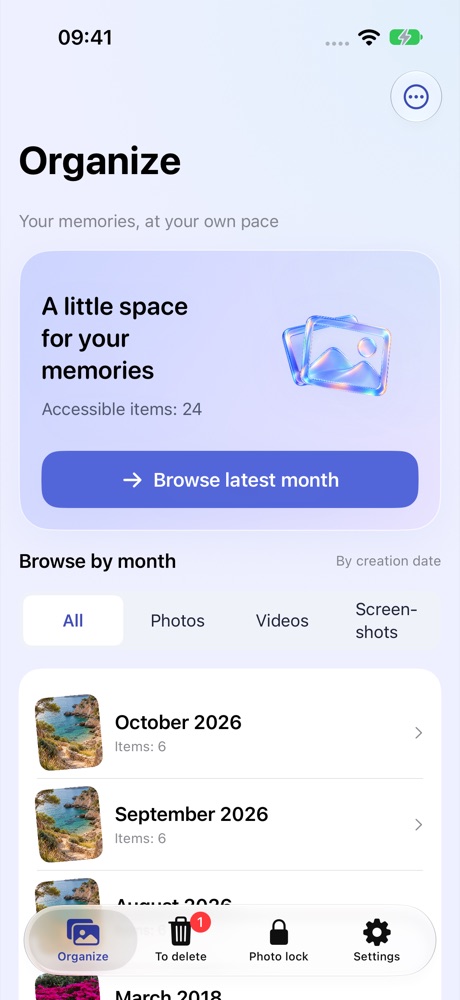
Browse by month and media type. Select in a grid or review one item at a time.
Photo organization
 Album Breeze
Sort photos and videos, one month at a time. Keep what matters, review your choices, then confirm with iOS.
THOUGHTFUL DETAILS
Browse by month and media type. Select in a grid or review one item at a time.
Lock individual items or a selection against deletion in this app. Locks do not encrypt or hide photos.
Choose what to delete or keep, check the queue, then confirm deletion with the system.
Native interface with example data. These apps are preparing for release; interfaces may evolve.
Contact the developer
Something not working, or an idea to share? Write to the developer.
Include the app name and version, iOS version and steps to reproduce. No personal photos, recordings or full ledgers are needed. Redact personal information from screenshots.